





This new version is compatible with Maya 2011, 2012 and 2013.
IMPORTANT: Please read carefully the documentation before using poseLib!!!
Documentation and installation instructions can be found on my website. Also that's where you'll find regularly updated versions.
PoseLib is based on a donation system. It means that if it is useful to you or your studio then you can make a donation to reflect your satisfaction. Thanks for using poseLib! 


Updated: 26 July 2012
- Fixed right-click menu not displaying properly in Maya 2013.
- Added buttons to resize the width of the Options column.
- Fixed namespace bug when saving poses for referenced blendshape nodes.- Selected channels are not automatically deselected anymore.
- Added functionality to save pose only for selected channels.
- Fixed a bug with some poses icons not showing up (but included in the counter).
- Fix Archetypes/Casting management bugs.
- Now only shows poses whose file actually exists (no more empty red icons).
Description:
PoseLib is being used in production throughout the world by feature animation studios and video-game companies.
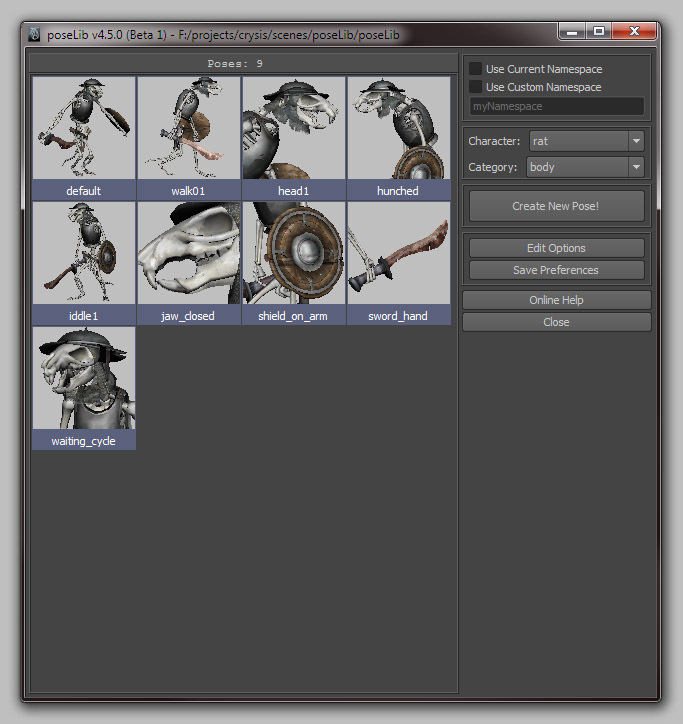
It allows you to record a pose for any object in Maya (more precisely anything that has keyable channel attributes). Whether it is the hyper complex character rig you just created or a simple Nurbs sphere or a basic Lambert shader: You just have to select the object(s), hit the "Create New Pose" button, and a pose file is created in the relevant directory, along with the corresponding icon (a .bmp file).
Features:
- Works on anything at anytime (no "character map" or specific rig layout or particular naming required).
- You can blend between the current pose and the clicked one by holding down the ALT or CTRL key and clicking on a pose.
- Lets you choose the icon size you like (from 32x32 to any custom size/ratio up to 512x512).
- Works with referenced/unreferenced characters (you can even edit the namespace).
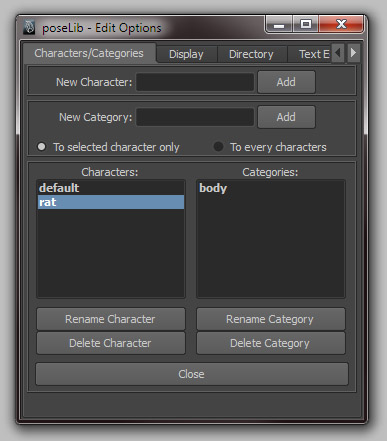
- Lets you organize your poses by characters (e.g.: Babar, Tintin...) and categories (e.g.: Face, Body...).
- You can rename, delete, replace or move any pose from any character or category.
- You can quickly select the objects/controls that are part of a specific pose.
- You can also remove, add or replace specific objects/controls in a pose.
- You can apply a pose specifically to the channels selected in the channel box.
Enjoy!
Please use the Bug System to report any bugs.
Please use the Feature Requests to give me ideas.
Please use the Support Forum if you have any questions or problems.
Please rate and review in the Review section.
Please use the Feature Requests to give me ideas.
Please use the Support Forum if you have any questions or problems.
Please rate and review in the Review section.


